'/%3e%3cpath%20id='Vector_2'%20fill-rule='evenodd'%20clip-rule='evenodd'%20d='M41.7365%206.2391C40.7304%206.2391%2039.915%207.05458%2039.915%208.06058C39.915%209.06663%2040.7304%209.88206%2041.7365%209.88206C42.7423%209.88206%2043.558%209.06663%2043.558%208.06058C43.558%207.05458%2042.7423%206.2391%2041.7365%206.2391Z'%20fill='var(--fill-0,%20white)'/%3e%3cpath%20id='Vector_3'%20fill-rule='evenodd'%20clip-rule='evenodd'%20d='M11.2236%206.56889C11.2236%206.74741%2011.076%206.89236%2010.8943%206.89236H2.52113V2.50723H10.8943C11.076%202.50723%2011.2236%202.65189%2011.2236%202.8307V6.56889ZM9.43021%200.0836868H0V13.999H2.52113V9.31585H9.42997C11.7867%209.31585%2013.6975%207.43888%2013.6985%205.12302L13.699%204.27991C13.7%201.96262%2011.7886%200.0836868%209.43021%200.0836868Z'%20fill='var(--fill-0,%20white)'/%3e%3cpath%20id='Vector_4'%20fill-rule='evenodd'%20clip-rule='evenodd'%20d='M63.789%2011.3469C63.789%2011.5257%2063.644%2011.6704%2063.4652%2011.6704H55.7529C55.5744%2011.6704%2055.4294%2011.5257%2055.4294%2011.3469V0.0836868H53.0144V9.80446C53.0144%2012.1211%2054.8923%2013.999%2057.2088%2013.999H62.0102C64.3268%2013.999%2066.2048%2012.1211%2066.2048%209.80446V0.0836868H63.789V11.3469Z'%20fill='var(--fill-0,%20white)'/%3e%3cpath%20id='Vector_5'%20fill-rule='evenodd'%20clip-rule='evenodd'%20d='M19.8448%2011.2329V0.0655822H17.324V10.3478C17.324%2012.3539%2018.9897%2013.9799%2021.0438%2013.9799H29.5237L30.3019%2011.5564H20.176C19.9931%2011.5564%2019.8448%2011.4117%2019.8448%2011.2329Z'%20fill='var(--fill-0,%20white)'/%3e%3cpath%20id='Vector_6'%20fill-rule='evenodd'%20clip-rule='evenodd'%20d='M81.0406%2011.253C81.0406%2011.4316%2080.8957%2011.5765%2080.7171%2011.5765L72.727%2011.5748V2.50822H80.7171C80.8957%202.50822%2081.0406%202.65288%2081.0406%202.83169V11.253ZM79.279%200.0846748H70.2495V14H79.2776C81.5936%2014%2083.4716%2012.1227%2083.4721%209.80665L83.4735%204.28044C83.4742%201.96337%2081.5961%200.0846748%2079.279%200.0846748Z'%20fill='var(--fill-0,%20white)'/%3e%3c/g%3e%3c/svg%3e)
October 6, 2026 • Product • 5 min read
Where app-based scribes fall short in the clinic
Healthcare AI can only work with the conversations it captures. We look at where phone and laptop recording falls short in clinical settings, and how wearable devices help healthcare software companies capture the full patient visit.
 George
Healthcare software companies are adding AI to help clinicians document visits, follow up with patients, coach staff, and analyze consultations. All of these features depend on the same input: what actually happens during a patient visit.
If your software only captures part of the conversation, your AI works from an incomplete picture. Clinical notes miss important details. Follow-ups leave out what was discussed.
Where app-based scribes work well
AI scribes such as Abridge, Ambience, and DeepScribe have become one of the fastest-growing technologies in healthcare. Notes can be ready for review shortly after a visit ends, and physicians spend less time on documentation and more time with patients.
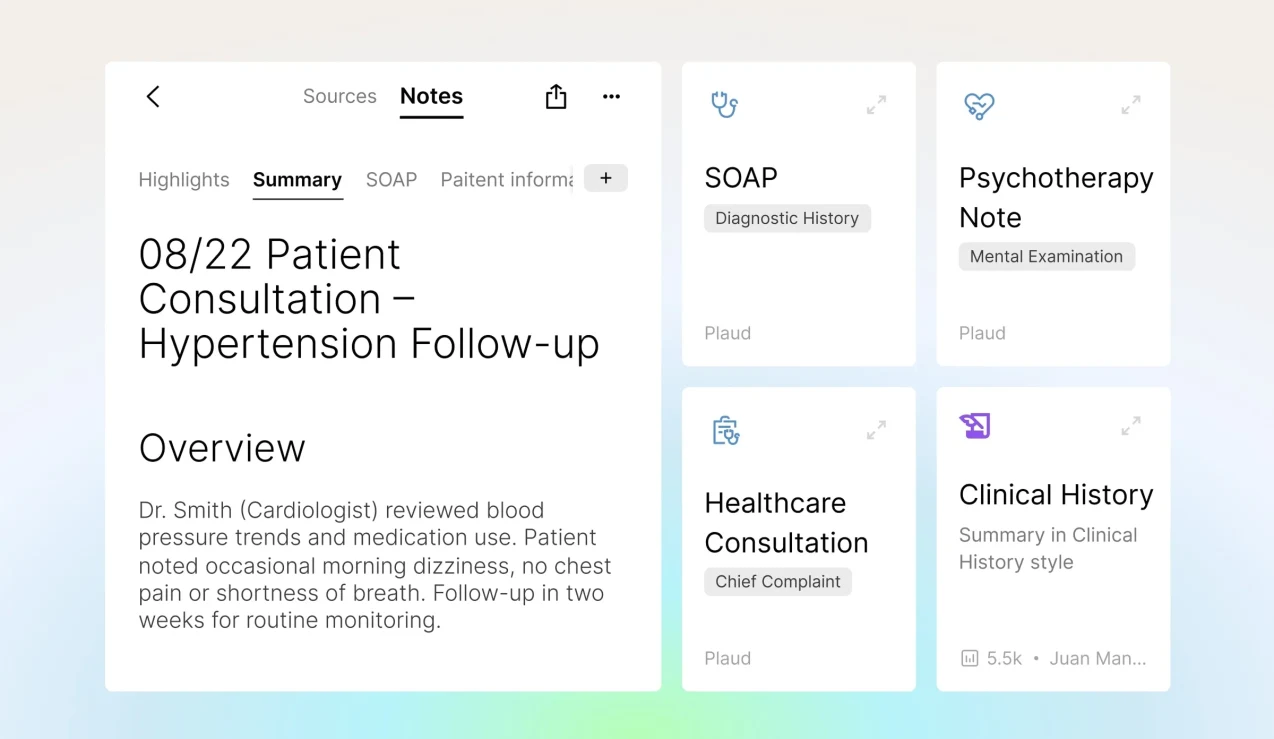
These products work well when a clinician and a patient are talking in an exam room, with a phone or laptop nearby to record the conversation. Their success also shows how much value a recorded conversation holds.
But many clinical conversations happen in other settings, where recording through a phone, tablet, or laptop becomes difficult.
Where app-based capture falls short
Loud, busy settings
Emergency departments and other high-volume settings are noisy, crowded, and constantly interrupted. A clinician may see several patients in quick succession, moving between beds with a phone in their pocket or left on a counter. Phones weren’t designed to record a clear conversation in those conditions.
Clinicians who move around the room
Even in a quieter exam room, clinicians don’t stay in one place. A phone on the counter or a laptop on a desk stays where it was put. PatientQ, which builds sales coaching and documentation tools for aesthetic medicine practices, first tried recording consults through computer and phone microphones. As their CEO, Ryan Knaak, put it, the setup “did a very poor job of actually picking up conversations that weren’t within three feet of it.”
Home health visits
Home health nurses need their hands free to care for patients, so a phone usually ends up in a pocket or set down somewhere in the room. Some apps also need a steady connection to process audio, which isn’t guaranteed in a patient’s home.
Clinicians skip recording
Clinical staff already work across several systems. Asking them to open an app and start a recording before every visit adds one more task, and on a busy day, many of them skip it.
Each of these creates a gap between what happened during the visit and what your software knows about it, and a better AI model can’t recover a conversation that was never recorded.
Why wearables are the future of AI scribes
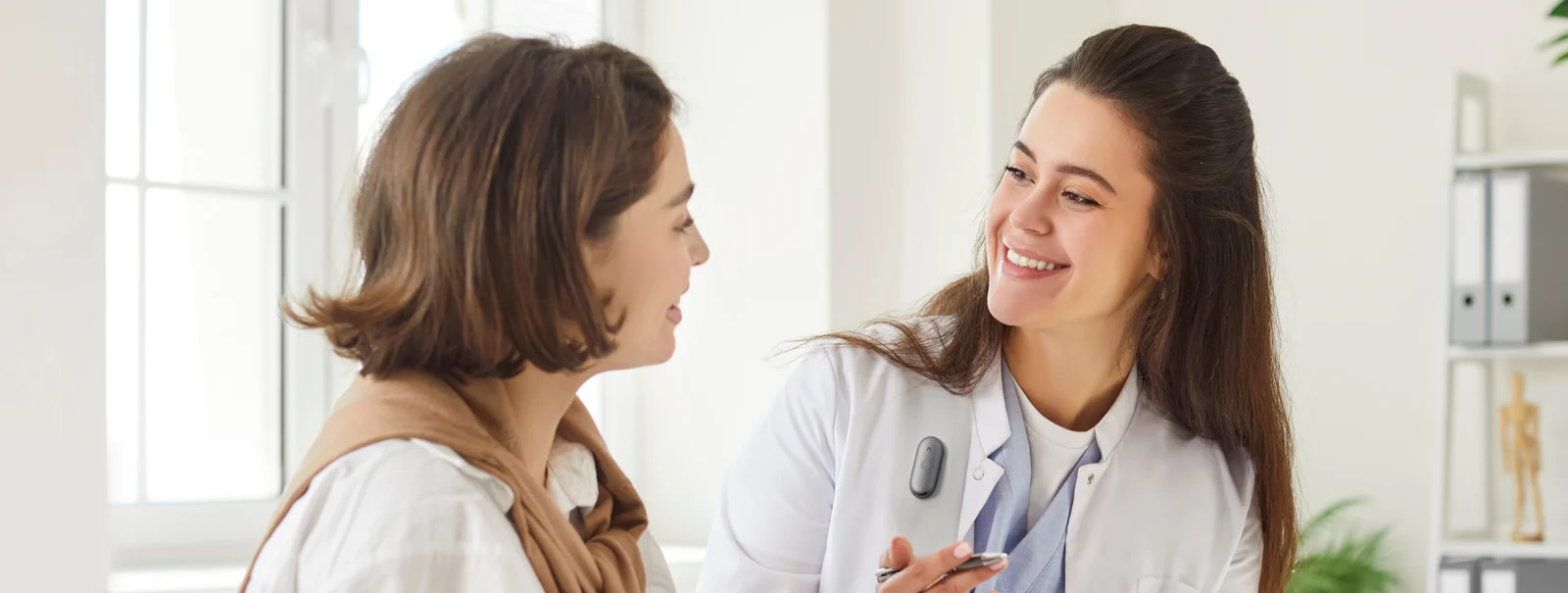
A small recorder worn by the clinician solves these problems in ways a phone or laptop can’t:
- A microphone close to the conversation. Because the device moves with the clinician, it stays near the people speaking, whether that’s at a bedside, across an exam room, or in a patient’s living room.
- Reliable capture. A dedicated recorder doesn’t share its job with messages, apps, or calls, and it stores recordings on the device, so a weak signal doesn’t interrupt the visit.
- Hands-free recording. The clinician wears the device and can examine, treat, and move around without holding or positioning anything.
- One-press recording. Removing the setup step makes clinicians far less likely to skip recording.
- A professional presence. A small wearable is less intrusive in front of a patient than a phone or tablet pointed at them.
How Plaud Embedded works
Plaud Embedded lets healthcare software companies build dedicated recording hardware into their own products.
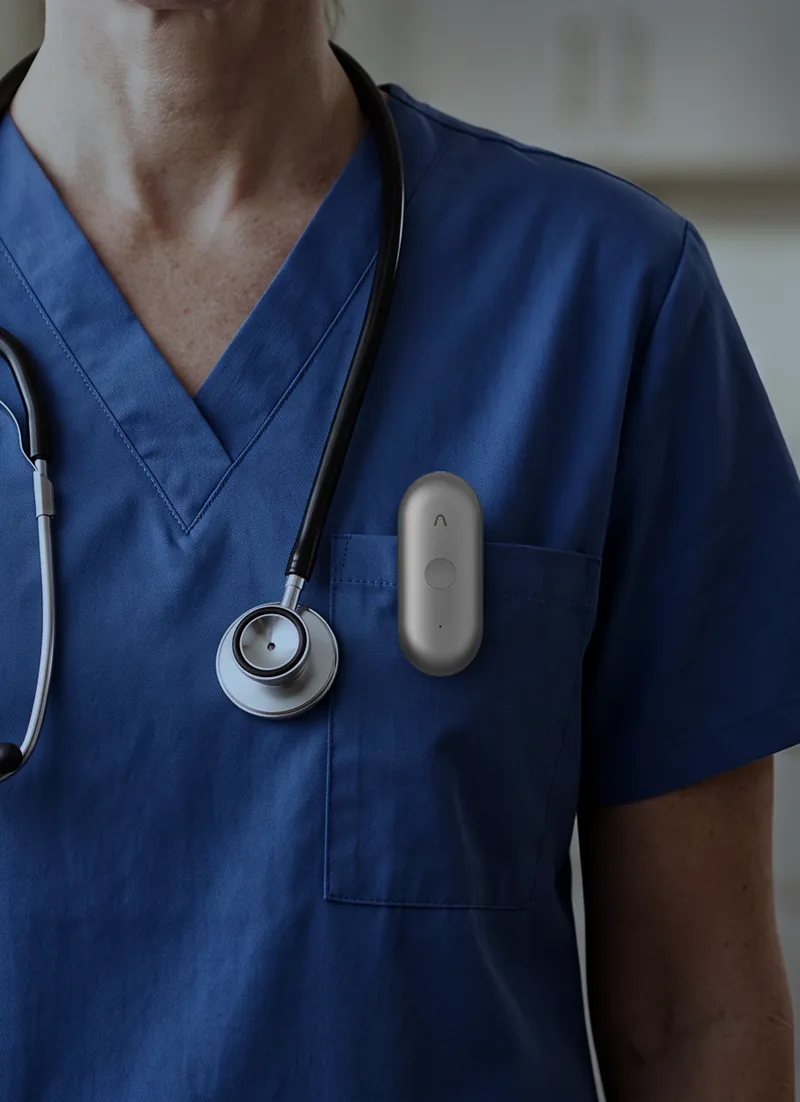
Each recording starts on a Plaud device worn by the clinician, such as the NotePin S, which can be worn on the wrist, with a clip or magnetic pin, or on a lanyard.
Your app connects to the device through the Device SDK (software development kit), which transfers each recording into your product. Clinicians use your product the whole time and don’t need a Plaud App subscription.
Your app then sends the recording to the Transcription API. Plaud’s transcription pipeline is built for real-world conversations and filters out background noise before the audio is uploaded. The API returns a transcript with each speaker labeled, so your product knows which statements came from the clinician and which came from the patient.
- Chief complaint
- Lower back pain
- Duration
- 2 weeks
- Onset
- Gradual, after lifting boxes
- Aggravated by
- Prolonged sitting
- Patient sentiment
- Anxious about missing work
“It started two weeks ago after I moved some boxes. Sitting at my desk makes it worse.”
Plaud meets global compliance standards, including HIPAA, SOC 2 Type II, GDPR, EN 18031, ISO 27001, and ISO 27701.
Healthcare products built with Plaud Embedded
PatientQ shipped a mobile app in one week by building on Plaud’s iOS starter app, a ready-made app that developers can customize. Their platform turns each recorded consult into a SOAP note (the standard clinical note format) ready for the patient’s electronic medical record (EMR), and a report scoring each staff member’s consult performance. At the first practice to adopt it, the share of consults that turned into booked treatments rose from 65% to 95% within three weeks.
EyeAdvisor’s platform turns each consult into coaching and performance data that counselors and surgeons can review afterward. They had a working app ready for pilot deployment within weeks, and they say the NotePin S removed one of the most common objections they heard when onboarding new practices: the friction of recording.
Read the full PatientQ and EyeAdvisor stories.
Build your healthcare AI on a more complete record
If your product depends on what clinicians and patients say to each other, how you capture that conversation shapes everything your AI produces.
Become a partner to build Plaud Embedded into your product, or read the docs to see how the Device SDK and Transcription API work.