'/%3e%3cpath%20id='Vector_2'%20fill-rule='evenodd'%20clip-rule='evenodd'%20d='M41.7365%206.2391C40.7304%206.2391%2039.915%207.05458%2039.915%208.06058C39.915%209.06663%2040.7304%209.88206%2041.7365%209.88206C42.7423%209.88206%2043.558%209.06663%2043.558%208.06058C43.558%207.05458%2042.7423%206.2391%2041.7365%206.2391Z'%20fill='var(--fill-0,%20white)'/%3e%3cpath%20id='Vector_3'%20fill-rule='evenodd'%20clip-rule='evenodd'%20d='M11.2236%206.56889C11.2236%206.74741%2011.076%206.89236%2010.8943%206.89236H2.52113V2.50723H10.8943C11.076%202.50723%2011.2236%202.65189%2011.2236%202.8307V6.56889ZM9.43021%200.0836868H0V13.999H2.52113V9.31585H9.42997C11.7867%209.31585%2013.6975%207.43888%2013.6985%205.12302L13.699%204.27991C13.7%201.96262%2011.7886%200.0836868%209.43021%200.0836868Z'%20fill='var(--fill-0,%20white)'/%3e%3cpath%20id='Vector_4'%20fill-rule='evenodd'%20clip-rule='evenodd'%20d='M63.789%2011.3469C63.789%2011.5257%2063.644%2011.6704%2063.4652%2011.6704H55.7529C55.5744%2011.6704%2055.4294%2011.5257%2055.4294%2011.3469V0.0836868H53.0144V9.80446C53.0144%2012.1211%2054.8923%2013.999%2057.2088%2013.999H62.0102C64.3268%2013.999%2066.2048%2012.1211%2066.2048%209.80446V0.0836868H63.789V11.3469Z'%20fill='var(--fill-0,%20white)'/%3e%3cpath%20id='Vector_5'%20fill-rule='evenodd'%20clip-rule='evenodd'%20d='M19.8448%2011.2329V0.0655822H17.324V10.3478C17.324%2012.3539%2018.9897%2013.9799%2021.0438%2013.9799H29.5237L30.3019%2011.5564H20.176C19.9931%2011.5564%2019.8448%2011.4117%2019.8448%2011.2329Z'%20fill='var(--fill-0,%20white)'/%3e%3cpath%20id='Vector_6'%20fill-rule='evenodd'%20clip-rule='evenodd'%20d='M81.0406%2011.253C81.0406%2011.4316%2080.8957%2011.5765%2080.7171%2011.5765L72.727%2011.5748V2.50822H80.7171C80.8957%202.50822%2081.0406%202.65288%2081.0406%202.83169V11.253ZM79.279%200.0846748H70.2495V14H79.2776C81.5936%2014%2083.4716%2012.1227%2083.4721%209.80665L83.4735%204.28044C83.4742%201.96337%2081.5961%200.0846748%2079.279%200.0846748Z'%20fill='var(--fill-0,%20white)'/%3e%3c/g%3e%3c/svg%3e)
October 15, 2026 • Product • 5 min read
Field service software is missing the richest source of job data
Every service visit generates information that never makes it into the work order. We look at why field conversations go undocumented, and how wearable devices help field service software capture the whole job.
 George
Every service visit generates information that never makes it into the work order.
The homeowner explains what’s been going wrong. The technician describes what they found, discusses repair options, and answers questions about replacement costs. Before leaving, they promise to order a part and return on Thursday.
But the job record often contains only a few lines: “Blower motor failing. Temporary fix, system running.”
The job record is missing the customer’s questions, the options discussed, and the technician’s commitments. The tech has moved on to the next job, and nobody has time to document every detail of every conversation.
For field service software, that’s a missed opportunity. Capturing these conversations can give your platform a more complete record of each visit, support more useful AI features, and reduce the amount of documentation technicians have to do themselves.
Why field conversations go undocumented
Technicians spend the day moving between vans, homes, attics, basements, and equipment rooms. They talk over running furnaces and compressors, often while the homeowner follows them from room to room.
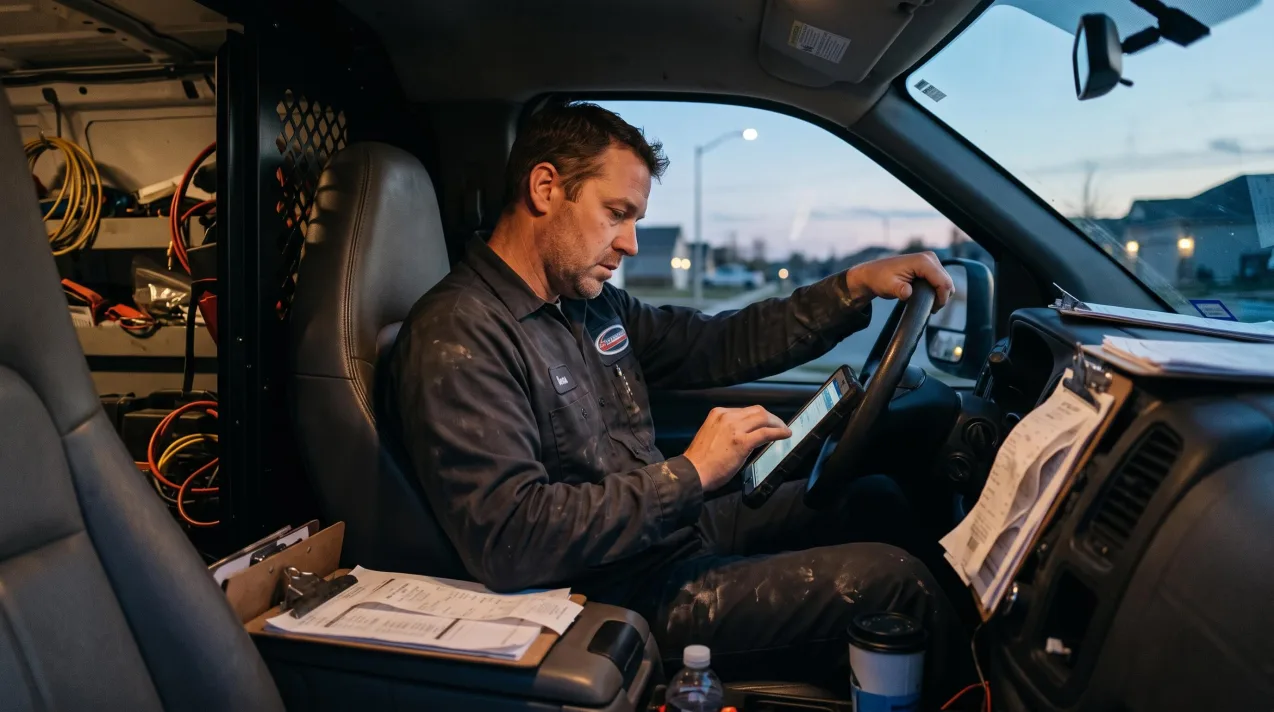
Phones weren’t designed to record conversations in those conditions, and the technician’s phone is already busy handling dispatch, navigation, photos, payments, and customer messages. Meanwhile, a phone on a counter or in a pocket often misses whoever isn’t standing close by.
Writing detailed notes after every job isn’t a realistic alternative either. It adds paperwork at the end of a long day, and even a thorough note is just a summary of what the tech remembered.
Why dedicated hardware suits field work
A small wearable recorder offers a different approach. Instead of asking technicians to manage recording on their phones, it travels with them throughout the job.
- Focused on the people speaking. Directional microphones pick up the technician and customer rather than the equipment running nearby.
- Records without a signal. The device records offline and stores recordings until it can sync, so a basement with no reception isn’t a problem.
- Hands-free, and always on the technician. A wearable device stays with techs in attics, crawl spaces, and equipment rooms without being held or set down.
- Simple operation. Starting a recording with a button press is simpler than opening an app and setting up a recording.
- A professional presence. A small wearable is less intrusive than holding up a phone or propping it on a counter during a customer conversation.
The goal is to capture more of what happens during a service call without adding another complicated task to the technician’s day.
Add conversation capture to your field service platform
Plaud Embedded lets field service software companies integrate Plaud recording devices and transcription into their own products. Plaud supplies the device and transcription, and your platform decides how each recording and transcript is used.
1. Capture conversations with a Plaud device
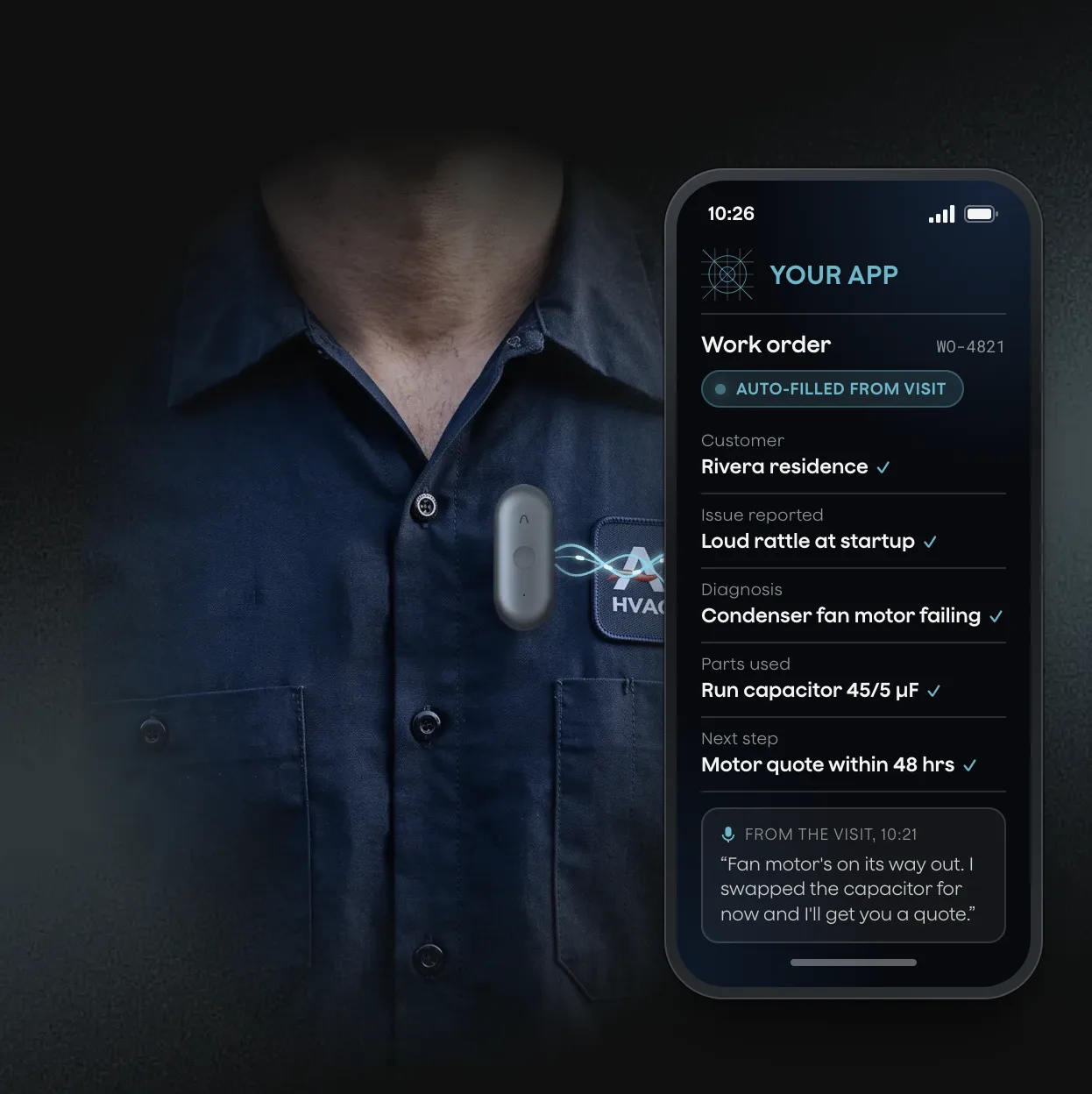
Technicians wear a Plaud device such as the NotePin S, a small recorder built for in-person conversations. Its directional microphones focus on the people speaking, and it can be worn on the wrist, with a clip or magnetic pin, or on a lanyard.
2. Connect the device to your app with the Device SDK
Your app uses the Device SDK (software development kit) to connect to the device and sync recordings over Bluetooth or WiFi. You can associate each recording with the relevant technician and job in your platform. Technicians use your product throughout and don’t need a Plaud App subscription.
3. Turn recordings into transcripts with the Transcription API
Your app sends each recording to the Transcription API. The service returns a transcript with speaker labels, helping your software distinguish what the customer said from what the technician said.
Plaud meets global compliance standards, including SOC 2 Type II, HIPAA, GDPR, EN 18031, ISO 27001, and ISO 27701.
What you can build with on-site conversations
Once conversations are available in your platform, you can use them to improve existing workflows and build new AI features.
- Write more useful follow-ups. Reference the customer’s questions, the repair options discussed, and the next steps the technician promised.
- Prepare estimates from what was discussed. Start a quote or replacement proposal from the equipment and concerns raised during the visit.
- Keep customer records up to date. Capture relevant details from the visit so the next technician has a better understanding of the customer’s history.
- Reduce manual documentation. Use the transcript to help fill in work orders and service summaries, reducing the amount technicians need to type after each job.
- Support coaching and quality reviews. Review what was actually said across visits, rather than relying entirely on the notes technicians chose to write.
The same recording can support multiple workflows, from completing the work order to preparing the next customer communication.
How Noso Labs built with Plaud
Noso Labs makes AI workflow tools for HVAC, plumbing, and electrical contractors. Their product turns on-site visits into service summaries, follow-up actions, customer messages, and automated workflows.
Noso started with phone-based recording but found it fell short in the field because technicians were already using their phones for other tasks. They needed a device that looked professional in a customer’s home, recorded reliably across different physical environments, could be linked to a specific technician, and was straightforward to integrate.
With the SDK, Noso links each device to a technician and associates each recording with the relevant job and customer.
As the Noso team puts it, “With Plaud, onsite conversations become structured inputs for Noso’s AI workflow engine.”
Give your field service platform the full context
Your platform already has the work orders, customer records, and job history that power your workflows. The missing piece is often the conversation that connects them.
Plaud Embedded gives you a way to add dedicated recording hardware and transcription to your product, so you can capture more of what happens on site, reduce manual input, and give your AI features more context to work with.
Become a partner to build Plaud Embedded into your platform, or read the docs to see how the Device SDK and Transcription API work.